
Klick&Show K-WM Download
Klick&Show K-WM
Firmware History
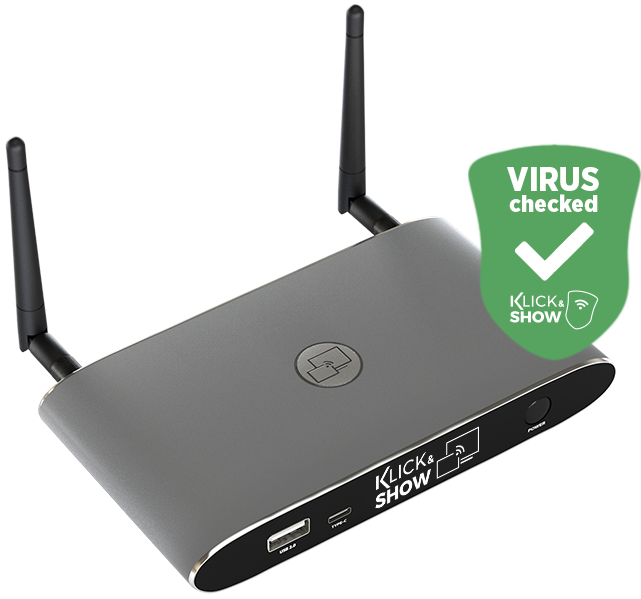
Version K1215
Product Name:
Klick&Show
File size:
590 MB
Release Date:
May 1, 2025
Changes/improvements:
- The individual parameters of the network status bar can now be hidden on a customer-specific basis if an administrator wishes to do so for security reasons.
- Display of the firmware version on the home screen.
- Various minor changes and improvements.
Bug fixes:
- Fixes a bug where, in very rare cases, it was not possible to enter a custom Wi-Fi password in the WebUI.
- Fixes a bug where the SSID of the Wi-Fi access point remained "invisible" after an update was performed.
- Fixes a bug where the options for using a custom home screen introduced in K1209 were not displayed. A loaded custom background can now also be displayed in full-screen mode without the network status bar that previously overlapped the top of the screen. Additionally, you can optionally display the QR code for easy connection setup for mobile devices over a custom home screen.
- (Note: A custom logo can no longer be used in this situation.)
- Various minor bug fixes.
Known errors:
- When using the "LAN Infrastructure" network mode, the LAN2 port stops working. As a temporary workaround, we recommend continuing to use firmware version K1212 if operation in "LAN Infrastructure" network mode is absolutely necessary. A fixed version of the firmware will be released shortly.
- If the K-WM is operated in the factory-default "Access Point" network mode, the problem does not occur.
Other:
- This firmware version represents a comprehensive upgrade with important improvements and is therefore recommended for all users.
- After installing the firmware, it is strongly recommended that you perform a reset in order to correctly initialize the parameters for new functions.
- Only then should further configuration take place.
Version K1212
Product Name:
Klick&Show
File size:
573 MB
Release Date:
January 7, 2025
Changes/improvements:
- no entries
Bug fixes:
- Fixes an issue where, in some cases, the AirPlay feature does not work when using an Apple mobile device running iOS 18.01 or later
- Fixes a bug where the QR code on the home screen does not immediately refresh when a customer-specific SSID is assigned by sending a TELNET command
- Fixes a bug where, in very rare cases, the base unit could get stuck in an endless boot loop
- Various minor bug fixes
Known errors:
- no entries
Other:
- no entries
Version K1209
Product Name:
Klick&Show
File size:
572 MB
Release Date:
August 23, 2024
Changes/improvements:
- New filter/sort function in the Klick&Show app that allows you to filter the selection list after scanning for existing base stations on the network, enabling faster access.
- Optimizing the home screen design with the introduction of a new Klick&Show icons, Klick&Show file names, and redesigned pop-up notification windows.
- The "Pause Broadcast (Freeze)" feature of the Klick&Show app has been optimized and now displays the access parameters as an overlay at the top of the screen.
- This allows participants using either Klick&Show app or native protocols, and the parameters required for connection—such as device name and PIN—are briefly displayed.
- The animated Klick&Show homKlickandShowreen can now be customized for each customer if an administrator wishes to change the Klick&Show driver in a different location (e.g., on the internal company network) and wants to display this information accordingly on the home screen for users.
- The options for using a custom home screen have been significantly improved. A loaded custom background can now be displayed in full-screen mode without the network status bar that previously appeared at the top of the screen. Additionally, you can choose to display the QR code for easy connection setup on mobile devices over a custom home screen.
- (Note: A custom logo can no longer be used in this situation.)
- Even when using the digital signage feature, the network status bar no longer overlays the top portion of the screen; instead, the display is full-screen, with the option to show access parameters either minimized or not.
- Various minor changes and improvements.
Bug fixes:
- Various minor bug fixes
Known errors:
- no entries
Other:
- This firmware version represents a comprehensive upgrade with important improvements and is therefore recommended for all users.
- After installing the firmware, it is strongly recommended that you perform a reset in order to correctly initialize the parameters for new functions.
- Only then should you pair any transmitters that may be present and proceed with further configuration.
Version K1204
Product Name:
Klick&Show
File size:
440 MB
Release Date:
January 24, 2024
Changes/improvements:
- Completely new design of the Klick&Show user interface:
- The user interface of the Klick&Show product family has been completely redesigned to be more modern and intuitive, including the home screen, the PC client for Windows and macOS, and the web menu interface.
- The home screen can now be customized in more flexible ways by:
- – Customizable home screen pages, with up to two individual pages now automatically combined into an animated home screen,
- – a customer logo that can be uploaded separately,
- – an adjustable text color for the home screen status bar, allowing the color scheme to be matched to the loaded logo.
- New digital signage feature that automatically displays online content when the Klick&Show system is not in use for a meeting. The digital signage feature can be fully configured with regard to URL (web address), display times, display days, and display mode (full screen / with status bar).
- New "Window" feature in Klick&Showclient, which transmits only the contents of a selected application window instead of the entire desktop.
- Miracast on Windows now also supports Touchback for use with interactive displays (1 touch point). This feature is available in both Miracast modes: Miracast Direct Mode (peer-to-peer) and Miracast Infrastructure Mode (MS-MICE).
- The web menu has been significantly expanded and now includes a "dashboard" at the admin level that displays the most important configuration parameters at a glance, as well as a "setup wizard" that guides users step-by-step through the configuration process during initial setup.
- When displaying multiple feeds simultaneously (split-screen feature), you can now specify not only the window layout but also the maximum number of feeds (4, 3, 2, or 1). If only one feed is displayed, the view switches directly when the participant changes.
- In the security settings, the number of predefined security levels has been reduced from 3 to 2 for greater clarity. As before, a "custom" setting for individual security parameters remains available as an additional option.
- Optimizing stability and performance for AirPlay transmissions.
Bug fixes:
- Fixed an issue where no touchback was sent via the Klick&Show client for macOS.
- Fixed an issue where using the Klick&Show client for macOS on a MacBook Pro with an M1 processor resulted in the transmitted content being displayed incorrectly.
- Fixed an issue where the progress bar displayed inaccurate values during a firmware update via the web interface.
- Various minor bug fixes
Known errors:
- no entries
Other:
- Update of the internal Wi-Fi driver to support various hardware generations.
Version K1047
Product Name:
Klick&Show
File size:
431 MB
Release Date:
February 16, 2023
Changes/improvements:
- Improved support for Miracast:
- Supported in "Wireless Infrastructure" network mode Klick&Show K-WM devices now support both Miracast peer-to-peer (P2P) connections and Miracast-over-Infrastructure (MS MICE) without using the optional Klick&Show USB Wi-Fi adapter. With the optional Klick&Show USB Wi-Fi adapter, Miracast P2P and MS MICE are also supported in access point and LAN infrastructure network modes.
- Preparing for future support of firmware downloads from the Kindermann OTA server
- Support for HTTPS access to the internal web interface
- New "Pause Sharing" feature in the WirelessMedia client, which allows you to temporarily freeze the laptop's screen during an active transmission
- When using the WirelessMedia client with base stations running older hardware and firmware versions, a prompt to update the client no longer appears
- Introduction of the new Klick&Show Screen Link feature:
- The Screen Link feature allows 2 Klick&Show base units, so that the now dual HDMI outputs and processors form a more powerful base system with dual-monitor output and expanded functionality
- Klick&Show now offers additional support for secure 802.1X EAP-TLS authentication for wired connections via Ethernet
Bug fixes:
- Fixed an issue where a Miracast-over-Infrastructure connection could not be established via LAN port 1
- Fixed an issue where English was not set as the factory language after performing a reset
- The pop-up message that appears after a firmware update to indicate that the update was successful now disappears automatically after 30 seconds and no longer needs to be confirmed using a PC mouse connected to the base station
Known errors:
- When using the WirelessMedia app, multitouch is not reliably supported on Windows 10.
Other:
- No entries
Version K1046
Product Name:
Klick&Show
File size:
429 MB
Release Date:
May 2022
Changes/improvements:
- The security level has been raised in the default configuration. Effective immediately, Security Level 2 and an 8-digit PIN code are set as the default.
- CEC control expanded: A compatible display device can Klick&Show K-WM from standby
- Manual search for OTA updates
- The time server can be configured manually
- Local time servers are supported
- Chromecast support on Android via the Google Home app
- You can now configure the interval between home screens.
- Split-screen display: W
Bug fixes:
- Audio playback via HDMI now works correctly when used with a projector that has WUXGA (1920×1080) resolution.
- AirPlay has been optimized for computers with Apple Silicon (M1)
- Software update to support macOS Monterey, which now only supports 4-digit AirPlay PINs
- Administrator passwords longer than 16 characters could be set but not entered
Known errors:
- When using the WirelessMedia app, multitouch is not reliably supported on Windows 10.
Other:
- No entries
Version K1045
Product Name:
Klick&Show
File size:
423 MB
Release Date:August
, 2021
Changes/improvements:
- No entries
Bug fixes:
- No entries
Known errors:
- No entries
Other:
- No entries