
Klick&Show K-FleX
Firmware History
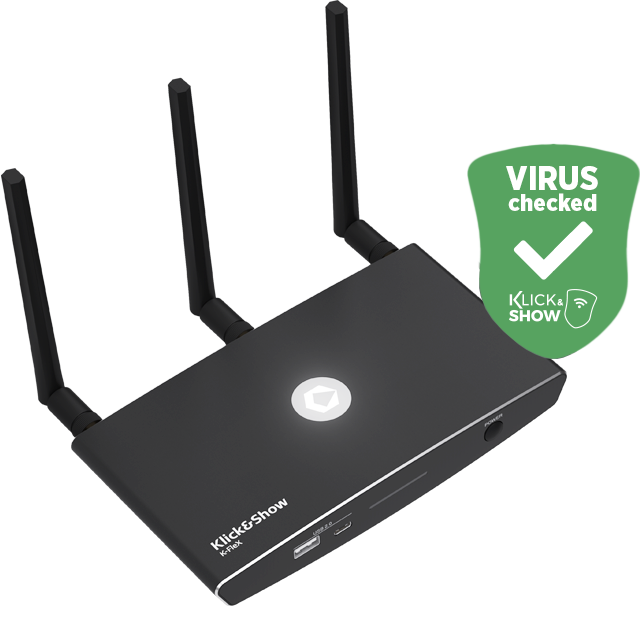
Version K4210
Product name:
Klick&Show
File size:
959 MB
Release date:August 2025 (
)
Changes/improvements:
- Version update of Klick&Show apps for Windows and macOS.
- Preparation of K-FX Plus and K-FleX base units for use with future production batches of 4K transmitters, which require customized firmware drivers.
Bug fixes:
- Fixes a bug where the "Share Local Content" feature did not display any content when the "Disable HTTP Access" option was selected in the WebUI.
Known errors:
- No entries.
Other:
- This firmware version represents a comprehensive upgrade with important improvements and is therefore recommended for all users.
- After installing the firmware, it is strongly recommended that you perform a reset in order to correctly initialize the parameters for new functions.
- After that, the existing transmitters should be paired and further configuration should be carried out, and the app versions on user laptops should be updated.
Version K4208
Product name:
Klick&Show
File size:
953 MB
Release date:
May 23, 2025
Changes/improvements:
- no entries
Bug fixes:
- Fixes a bug that caused a K-FleX base unit to provide a virtual CD-ROM drive, including an app, on a paired 4K transmitter even without a BYOM license.
- Transmitter-based image transmission is not affected by this.
- The error occurs in connection with Klick&Show Full HD transmitters.
Known errors:
- No entries.
Other:
- no entries
Version K4207
Product name:
Klick&Show
File size:
955 MB
Release date:
April 25, 2025
Changes/improvements:
- Optimization of the Klick&Show apps available for download in the K-FleX WebUI as follows:
a) In the basic version, K-FleX provides the "BYOD" version of the apps in the WebUI.
b) After entering the optional BYOM license key, K-FleX provides the "BYOD + BYOM" version of the apps in the WebUI (as well as on the Transmitter CD-ROM). (*)
Note: The "BYOD" version of the app does not include the app driver required for processing USB audio/video signals, as K-FleX does not support BYOM in the basic version (without optional license key).
Bug fixes:
- Fixes a bug that prevents future firmware updates from being downloaded via OTA (over-the-air).
- The issue described in Firmware History K4204 under "Known issue point 1" when using the third-party product Sennheiser TeamConnect Bar S/M has been fixed. (*)
- Missing language translations on the WebUI pages "Start Screen" and "Button Definition" have been added.
- Correction of the RS232/TELNET command set
- Various minor bug fixes
Known errors:
- No entries.
Other:
- This firmware version represents a comprehensive upgrade with important improvements and is therefore recommended for all users.
After installing the firmware, it is strongly recommended to perform a reset in order to correctly initialize the parameters of new functions.
Only then should you pair existing transmitters and proceed with further configuration. - Due to the phenomenon described in "Bug fixes, point 1," this update can only be installed manually via WebUI or USB flash drive. Automatic loading of OTA updates will then be possible for future firmware versions.
- (*) All of the above-mentioned functions marked accordingly are only available after entering the optional BYOM license key.
Basic version K4204
Product name:
Klick&Show
File size:
931 MB
Release date:
April 7, 2025
Changes/improvements:
- Expandable BYOM function.
Klick&Show K-FleX is the new generation of expandable wireless collaboration systems. The basic version of K-FleX already offers users a wide range of functions for presenting audiovisual content from laptops or mobile devices in a really simple way (BYOD). The optional Klick&Show BYOM license key also transforms K-FleX into a fully-fledged BYOM wireless conferencing system. - The largely revised Klick&Show app for Windows and MacOS now allows software-based wireless transmission of laptop content in resolutions up to 4K @ 30Hz or 1080P @ 60Hz instead of the previous 1080P @ 30Hz.
- Implementation of the innovative "dual desktop"feature for simultaneous streaming of primary and extended desktops in BYOM meetings. (*)
- Implementation of the"Share Local Content"feature, which allows the main display to be mirrored to a laptop so that local content can also be shared with remote participants in a BYOM call. The now optimized feature also displays a red frame in the main display to alert all local participants to its use for security reasons. (*)
- Implementation of the new "Start BYOM" function. With the help of this function, you can Klick&Show K-FleX can be operated in such a way that the BYOM function (and thus the automatic start of the app when connecting a 4K transmitter) only takes place after pressing a correspondingly assigned function key; otherwise, K-FleX behaves like a "BYOD" device. (*)
- When using Klick&Show 4K Transmitter, the option to customize the two function buttons has been implemented, offering direct access to the following functions:
Full Screen, Pause (Freeze), HDMI Switching, Share Local Content, Dual Desktop, Start BYOM. - When using Klick&Show 4K transmitter, the option to customize the Show button has been implemented. Pressing the button for 2 seconds provides direct access to the following functions:
Full screen, dual desktop. - The individual parameters of the network status bar can now be hidden on a customer-specific basis if an administrator wishes to do so for security reasons.
- Implementation of the"Reset Session"security function, with visual feedback on the number of active connections in the meeting and the option to immediately disconnect all active connections if particularly high data protection requirements make this necessary.
- Display of the firmware version on the home screen.
- K-FleX enables Airplay transmission with up to 4K UHD resolution.
- Control command for HDMI switching added to the RS232/TELNET command set.
Bug fixes:
- Fixed an issue where the audio output on the base unit was not sufficiently synchronized with the video.
- Fixes an issue where, in some cases, the Airplay function does not work when using an Apple mobile device with iOS18.01 or later installed.
- Various minor bug fixes.
Known errors:
- When using the third-party product Sennheiser TeamConnect Bar S/M, attempting to adjust the output volume using the infrared remote control causes a malfunction.
Other:
- (*) All of the above-mentioned functions marked accordingly are only available after entering the optional BYOM license key.