
Klick&Show K-10
Firmware History
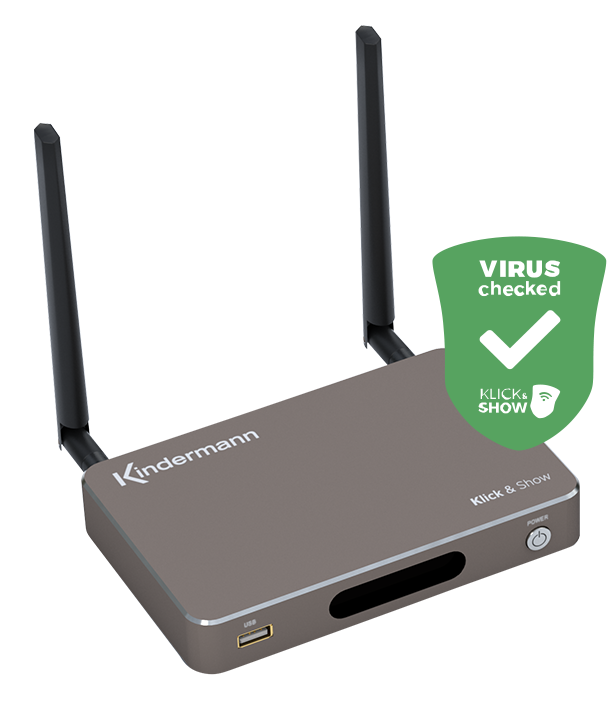
Version K1087
Product Name:
Klick&Show Kit
File size:
285 MB
Release Date:
December 1, 2020
New features:
- Support for HDMI transmitters with part number 7488000331
- Hiding the Wi-Fi network (Hide SSID)
Changes/improvements:
- Compatibility between the HDMI transmitter and Ubuntu has been improved
- If Security Level 2 is enabled, the HDMI transmitter will only transmit a black image
- In LAN Infrastructure mode, the HDMI transmitter only displays a black screen
- When using the "Extended Display" feature, two mouse pointers are displayed
- The issue with the display of the HDMI input signal has been resolved
Known errors:
- No entries
Other:
- No entries
Version K1081
Product Name:
Klick&Show Kit
File size:
285 MB
Release Date:
May 19, 2020
New features:
- HDMI transmitters are now supported. They can also be used in combination with USB transmitters.
- Support for macOS Catalina.
Changes/improvements:
- The "Extended Display" is supported by Win+P (shortcut) as well as by checking the "Extended Display" option in the PC client software.
- Clicking on the "Close" icon in the PC client software brings up a dialog box with the options: "Exit software" or "Run in background." (Note: This security prompt is only supported by the Windows client, not by the macOS client).
- The (remote) mouse remote control is disabled from security level 2 onwards.
- WPS issue:
- Changing the password clears the WPS presentation cache for content and the WPS file history for the base.
- Step 1: Standby clears the WPS presentation cache for content and the WPS file history on the base unit.
- Step 2: Putting the device into standby mode or turning it off and on clears the WPS presentation cache and the WPS file history on the router.
Known errors:
- No entries
Other:
- No entries
Version K1074
Product Name:
Klick&Show Kit
File size:
381 MB
Release Date:
December 19, 2019
Changes/improvements:
- After successfully updating the base station's firmware, a reminder will appear:
- "Please also remember to update your touch buttons to the new firmware by plugging them into the base station."
- Change the update confirmation from a red check mark to a green check mark.
Bug fixes:
- When using MacBook OS Catalina (ver. 10.15), sound is now being transmitted.
- Resolving the “Transmitter domain error”: Data transmission was not possible despite the transmitter being successfully connected to the base station.
- After the first attempt to connect, the transmitter began flashing green continuously.
Known errors:
- No entries
Notes:
- We recommend updating the firmware on all devices!
- No need to "reset to factory settings" after the update!
- After the firmware update, you will need to update the firmware of the TOUCH button to version 2.2.9C, as well as the starter program on your Windows laptop to version 2.4.7.5 and on your Mac to version 1.6.3.5.
- The new features and changes are described in the User Manual, Version 3.0.6 C / E.
Version K1071
Product Name:
Klick&Show Kit
File size:
381 MB
Release Date:
October 29, 2019
Changes/improvements:
- If the password is changed via Telnet, the setting for automatic password change in the menu is set to "Never."
- If the password is changed via Telnet, it must be at least 8 characters long (or longer).
- The display of the selected security level has been changed.
- Home icon on HDMI IN:
- If there is no input signal, the Home icon is always displayed.
- When an HDMI IN signal is detected, the Home icon disappears after 10 seconds.
- The Home icon has been made more prominent.
Bug fixes:
- The TOUCH button cannot connect to the base station on the new Mac operating system, macOS 10.15 Catalina.
- After a firmware update, the TOUCH button automatically attempts to pair with the base unit. This often fails, requiring another pairing attempt.
Known errors:
- No entries
Notes:
- We recommend updating the firmware on all devices!
- No need to "reset to factory settings" after the update!
- After the firmware update, you will need to update the firmware of the TOUCH button to version 2.2.8C, as well as the starter program on the Windows laptop to version 2.4.4.5 and on the Mac to version 1.6.1.5gfds
Version K1064
Product Name:
Klick&Show Kit
File size:
386 MB
Release Date:
May 14, 2019
New features:
- "Dual network" (LAN + Wi-Fi) with separate access points for GUESTS and EMPLOYEES, displayed on the home screen.
- “Whiteboard & Notes”: Write or draw on the whiteboard or add notes using the touchscreen.
- The WirelessMedia driver for Mac computers can now be used with or without the TOUCH sensor button.
Changes/improvements:
- New option in the Language menu: "Turkish".
- PC user interface for Mac drivers updated.
- Home screen (GUI) updated for dual network.
- Video playback is improved when "Remote View" is enabled.
- Limiting the channels in the 5 GHz frequency band (EU) to: 36, 40, 44, 48.
- New Telnet commands: Show/hide the status bar on the home screen; manually create a new password; prompt for a password.
- The status message that appears when screen sharing starts can be shown or hidden as desired.
Known errors:
- No entries
Notes:
- We recommend updating the firmware on all devices!
- No need to "reset to factory settings" after the update!
- After the firmware update, you will need to update the firmware of the TOUCH button to version 2.2.1C, as well as the starter program on the Windows laptop to version 2.3.6.5 and on the Mac to version 1.3.8.5.
- The new features and changes are described in the User Manual, Version 3.0.6 C / E.